A gaming chair is easy to judge from a photograph and surprisingly difficult to judge from a specification sheet. Tall backrests, bold upholstery and multi-directional armrests can look impressive, yet none of those features guarantees a good fit for the person who will spend hours sitting in it. A chair that feels supportive to a tall gamer might feel restrictive to someone shorter; a breathable mesh seat can be ideal in a warm room but less appealing to someone who prefers a cushioned, upholstered feel.
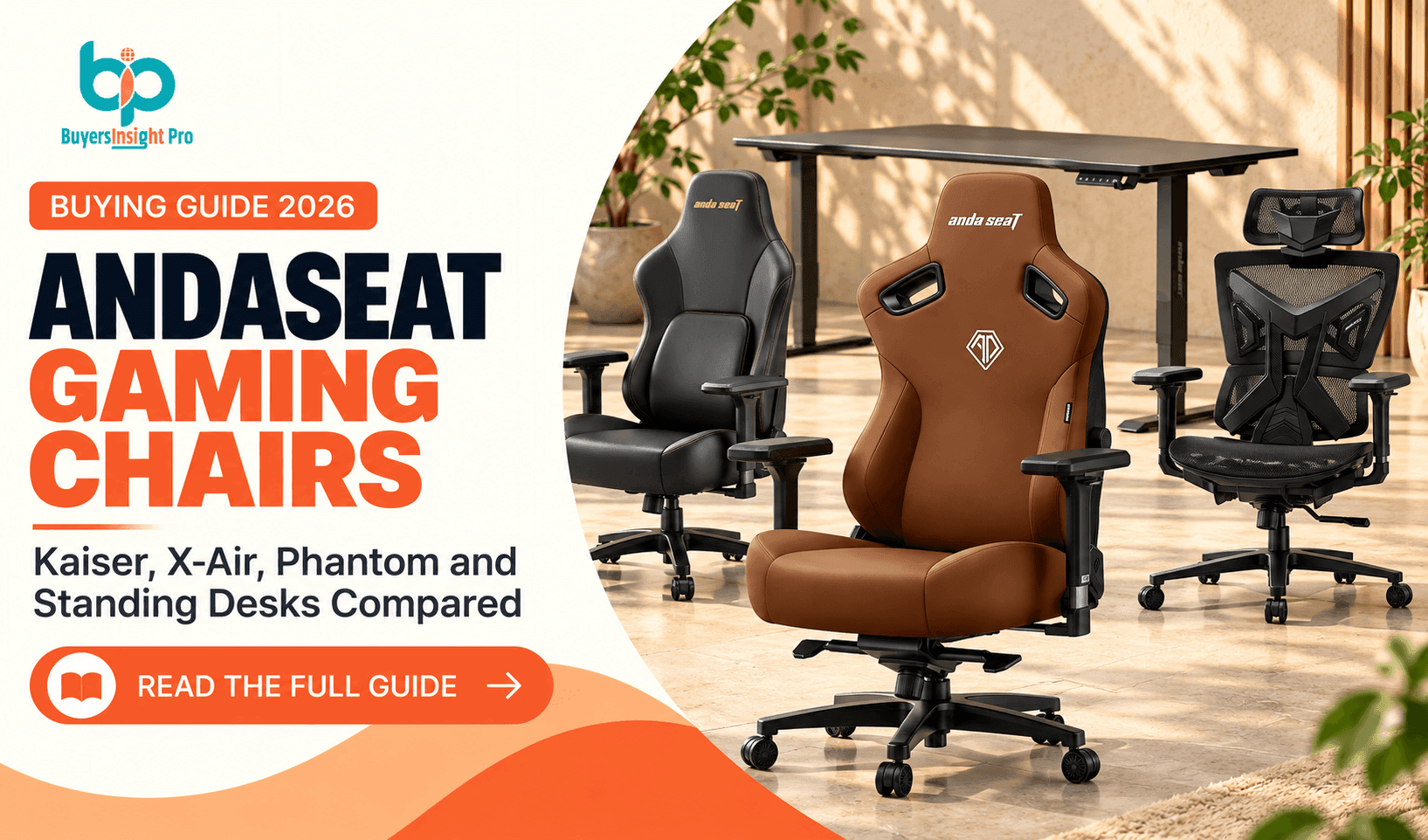
AndaSeat has built its range around that variety. The company offers premium Kaiser chairs, more accessible Novis and Phantom models, ventilated X-Air seating and the Xtreme electric standing desk. For someone building a combined gaming and home-office setup, the selection creates an opportunity to match equipment to the space rather than buying solely on brand recognition.
This guide works from the buyer's actual needs outward. We will compare the current product families, explain the adjustments that matter, discuss desk pairing, examine pricing and warranty conditions, and identify which compromises are worth accepting. It is an editorial assessment of published specifications and policies, not a claim that every model was independently tested or that any chair can treat back pain.
Begin with the models that match your height, preferred materials and budget before deciding on colors or special editions.
Explore AndaSeat →The Right Starting Point: Your Body, Desk and Daily Routine
Before looking at model names, take three measurements: your height, the length of your upper leg when seated and the height of your desk. A chair needs to allow your feet to rest comfortably on the floor or a footrest, your knees to bend naturally and your forearms to approach the keyboard without raised shoulders. Product size labels such as L and XL are not substitutes for the actual dimensions.
Think about how you spend your day. A competitive gamer who leans forward toward a monitor may prioritize armrest placement and an upright working position. A remote worker moving between video meetings and spreadsheets may value breathable materials and a less visually aggressive design. Someone who regularly reclines to watch films may care more about the headrest and reclining mechanism.
Body proportions matter as much as total height. Two people of identical height can have very different torso and leg lengths, making the same seat depth or lumbar position comfortable for one and awkward for the other. That is why the manufacturer's fit charts, seat measurements and adjustment ranges should be checked before choosing a finish.
AndaSeat Chair Lineup at a Glance
AndaSeat's US storefront includes a wide spread of price points. Its listings in October 2026 show Axis around $129, Novis from $229, Phantom 4 at $289, Phantom 4 Pro at $379, Kaiser 3E from $359, X-Air from $399, X-Air Pro at $449, Kaiser 3 from roughly $449 and Kaiser 4 from $549. These are displayed list or starting prices, not guaranteed checkout amounts; promotions and variants can alter the total.
The key difference is not merely premium versus budget. The Kaiser family emphasizes layered adjustments and upholstered support, X-Air emphasizes airflow, Phantom 4 emphasizes adaptive lumbar behavior, and Novis aims to provide a simpler entry point. Buyers should prioritize the design philosophy that suits their routine rather than automatically moving toward the most expensive model.
| Series | Displayed starting price (USD) | Main focus |
|---|---|---|
| Axis | $129 | Entry-level seating |
| Novis | $229 | Value and simpler adjustments |
| Phantom 4 | $289 | Dynamic lumbar support |
| Kaiser 3E | $359 | Accessible Kaiser styling |
| Phantom 4 Pro | $379 | Higher-tier Phantom |
| X-Air | $399 | Ventilation and mesh-style design |
| Kaiser 3 | $449 | 4-way lumbar and 4D arms |
| X-Air Pro | $449 | Higher-tier breathable chair |
| Kaiser 4 | $549 | Pop-out lumbar and 6D arms |
Kaiser 4: The Premium Adjustable Choice
The Kaiser 4 is one of AndaSeat's most prominent chairs, with a published starting price of $549. Its distinguishing features include pop-out lumbar support that can be locked at different angles and 6D armrests. The brand also promotes stain-resistant sustainable leather upholstery. The attraction is clear: this model is intended for people who want to fine-tune multiple contact points rather than accept a fixed seating geometry.
Lumbar adjustment deserves a practical test. A support mechanism can feel excellent when it meets the curve of your lower back, but too much projection or the wrong vertical position can be distracting. Likewise, six-dimensional armrests are valuable only when they can align with your elbows and desk without colliding with the desktop. More adjustment is not automatically better if the ranges do not suit your proportions.
Kaiser 4 is most convincing for someone with a larger budget who expects to spend long sessions in the chair and appreciates incremental changes to posture. It is less compelling for a shopper who wants a lightweight chair, a simple setup or maximum ventilation. Check the exact L or XL dimensions and upholstery options before paying the premium.
Kaiser 3: A Balanced Premium Alternative
Kaiser 3 is positioned below the Kaiser 4 and is listed from about $449 on the US catalog, although the current promotions page may display different prices. It uses four-way adaptive lumbar adjustment, 4D armrests and a magnetic head pillow. These are meaningful features for buyers who want a supportive chair but do not necessarily need the newest lumbar design or most complex armrests.
The magnetic head pillow can be convenient because it avoids the familiar elastic-strap arrangement used on many older gaming chairs. Its usefulness still depends on the height and angle at which it contacts your neck. A pillow that pushes your head forward while you work should not be used merely because it came in the box.
For many shoppers, the Kaiser 3 versus Kaiser 4 decision comes down to the price difference and how much value they place on the newer lumbar and armrest mechanisms. If both fit equally well, a discounted Kaiser 3 could be a rational choice. If your lower-back support needs are unusually specific, the Kaiser 4's extra adjustment may justify a closer look.
Kaiser 3E: The More Affordable Kaiser Experience
Kaiser 3E is often shown from $359 in the product catalog, with a raised lumbar support design and 4D armrests. It is promoted for larger users in some XL configurations and aims to retain the substantial Kaiser appearance at a lower entry price. The trade-off is that the adjustment system differs from the higher-end Kaiser models.
A raised lumbar contour can offer a pleasant sense of support, but it is not the same as a fully adjustable mechanism. If the contour does not align with your body, you may have fewer ways to correct it. This is why the fit chart is especially important when buying a more affordable chair with less complex lumbar customization.
Kaiser 3E makes sense for shoppers who like the general Kaiser design and want a step above the most basic models without moving into premium pricing. It is not automatically the best budget chair for everyone; the Phantom 4 and Novis families may suit different preferences.
X-Air and X-Air Pro: When Breathability Matters Most
The X-Air family stands apart because it emphasizes an open, breathable design rather than the upholstered bucket-seat look associated with traditional gaming chairs. AndaSeat promotes dynamic lumbar support, a three-dimensional headrest and 4D or 5D armrests depending on configuration. The main X-Air series has been listed around $399, while X-Air Pro appears around $449.
For someone gaming in a warm room, airflow can be a more noticeable daily benefit than decorative stitching or an extra recline angle. A mesh-style seating approach can also look more at home in a conventional office. However, material feel is personal: some users prefer firm, ventilated support, while others prefer the softer sensation of padded upholstery.
Pay attention to the precise model rather than assuming X-Air and X-Air Pro have identical mechanisms. Check seat dimensions, armrest configuration and headrest movement. The X-Air range is a particularly strong candidate for mixed work-and-play use, but it should be evaluated on fit rather than on breathability alone.
Phantom 4 and Phantom 4 Pro: Adaptive Support at a Lower Price
Phantom 4 is listed at $289 and is described with dynamic auto-tracking lumbar support, a 135-degree recline and a 15-degree rocking function. The Pro model is listed at $379. This family is aimed at shoppers who want a contemporary ergonomic concept without paying Kaiser 4 prices.
Auto-tracking lumbar is a different proposition from manually locking a support mechanism into a chosen position. Some users may appreciate a support that follows movement; others may prefer a fixed setting they can leave unchanged. Neither approach is inherently superior for every back or sitting style.
The published recline and rocking specifications also need context. Reclining can be comfortable for breaks, but an extremely reclined position is not necessarily appropriate for typing or competitive gaming. The more important question is whether the chair feels stable and supportive in the upright position you use most often.
Novis and Axis: Entry-Level Models and Realistic Expectations
Novis starts around $229 in the catalog and is promoted as a value-oriented chair with raised lumbar support and adjustable armrests. Axis appears at about $129. These lower-cost choices can be attractive for a first gaming setup, a spare room or someone who does not need a long list of adjustment features.
At this price level, be especially careful not to assume that the shape of a chair guarantees ergonomic fit. Look at seat height, depth, backrest proportions, armrest range and the materials used. A simpler chair that matches your body can be more comfortable than a complicated chair with poorly aligned support.
Novis is a reasonable model to investigate for a budget-conscious main chair. Axis may be worth considering for lighter or occasional use, but the right decision depends on the specific product configuration and the user's needs. If you sit for a full workday, the ability to adjust the chair comfortably may justify paying more.
Which AndaSeat Chair Should You Choose?
The following comparison is an editorial shortcut, not a substitute for the manufacturer's fit chart. It prioritizes the defining feature of each family rather than pretending that every model has been independently comfort-tested.
| Buyer priority | Models to compare | What to verify |
|---|---|---|
| Maximum adjustability | Kaiser 4 | Lumbar position, 6D armrest range, L/XL dimensions |
| Premium value | Kaiser 3 | Fit versus Kaiser 4 price difference |
| Lower-cost Kaiser feel | Kaiser 3E | Fixed or raised lumbar contour alignment |
| Hot room or home office | X-Air / X-Air Pro | Mesh feel, headrest and armrest configuration |
| Adaptive lumbar at midrange price | Phantom 4 / Pro | Movement of lumbar mechanism and seat fit |
| Budget setup | Novis / Axis | Basic dimensions and available adjustments |
Check the actual seat dimensions, recommended user ranges and adjustment details for the shortlisted models.
Explore AndaSeat →The Xtreme Standing Desk: Does It Complete the Setup?
AndaSeat expanded its desk lineup with the Xtreme electric standing desk in February 2026. Its official launch announcement lists a 47.2-by-29.5-inch option at $399 and a 55.1-by-29.5-inch option at $499. The desk adjusts from 28.7 to 46.1 inches and has a stated weight capacity of 155 pounds, or about 70 kilograms. Product pages also promote integrated cable management and a reinforced steel frame.
These specifications make the Xtreme relevant to gamers who want to alternate between sitting and standing, especially those who use the same workstation for employment or study. The cable-routing approach, tray and included accessories can help create a cleaner setup. The control panel includes memory settings, reminders, child lock and anti-collision functionality, according to the company.
The main practical question is whether the height range suits you in both positions. The minimum desk height may still be too high for some seated users unless chair height and a footrest are adjusted. At standing height, monitor placement, keyboard height and desk stability all matter. A standing desk is a tool for changing position, not a requirement to stand all day.
Availability needs checking carefully: the desk product page displayed some configurations as out of stock or preorder even while the series remained advertised. Do not schedule a room renovation or promise a delivery date based only on a marketing landing page.
Gaming Chair Versus Office Chair: What Actually Matters?
Gaming chairs and office chairs are often discussed as opposing categories, but the label alone does not determine comfort. Both can offer adjustable armrests, lumbar mechanisms and reclining backrests. The meaningful differences are in proportions, materials, range of adjustment and how a specific chair supports the person using it.
A traditional racing-style chair may appeal to someone who likes a more enclosed seating feel and bold design. A mesh-style ergonomic chair may suit a warm home office or a room with understated decor. Neither format is automatically better for posture, and neither should be marketed as a treatment for pain.
For long sessions, focus on changing position, placing the monitor appropriately and taking regular movement breaks. A supportive chair can reduce awkward positioning, but no chair removes the need to stand up, stretch and vary your activity during the day.
How to Measure Your Workspace Before Ordering
Measure the distance from the floor to the underside of your desk, then check whether the chair's armrests can slide under it. Measure the available width around the chair, including clearance for swiveling, reclining and walking behind it. A large XL model may fit your body but still be a poor match for a compact bedroom.
Next, examine seat height and depth. Your feet should be supported, and the seat edge should not press hard into the backs of your knees. The lumbar area should meet your back at a comfortable point without forcing an exaggerated curve. The headrest should be optional in practice: remove or reposition it if it pushes your head into an uncomfortable posture.
For a standing desk, map the entire movement path. Consider wall outlets, cable slack, monitor arms, shelves and anything above or beneath the tabletop. Anti-collision features are helpful, but they do not replace careful setup or supervision around children and pets.
Upholstery, Mesh and Maintenance
AndaSeat's upholstered models emphasize a different feel from its breathable X-Air family. Synthetic leather-style surfaces are often easier to wipe after spills, but they can feel warmer in a humid environment. Mesh promotes airflow, though some users may notice a firmer contact sensation. Fabric and foam characteristics also vary by model and configuration.
Maintenance should follow the exact materials guide rather than a one-size-fits-all cleaning tip. Avoid harsh solvents, excessive moisture and abrasive brushes unless the manufacturer explicitly allows them. Clean armrests, wheels and chair bases periodically, and inspect fasteners if the chair begins to squeak or feel loose.
Color choice matters for aesthetics and visible wear, but comfort and material durability should lead the purchase. A dramatic limited edition can be tempting, yet it may offer no functional advantage over the standard model built on the same platform.
Assembly, Weight and Delivery Considerations
A full-size gaming chair is a substantial boxed product. Before ordering, consider who will carry the package inside, where you will assemble it and whether you have enough clear floor space. Check the included hardware and follow the manufacturer's assembly sequence rather than improvising around a stubborn fitting.
The brand's US site says its own storefront supports shipping within the United States and directs international buyers toward regional retailers. If you are ordering outside the US, do not assume US prices, warranties or delivery promises automatically apply to a local distributor.
Once assembled, take time to adjust the chair methodically. Begin with seat height, then back support, armrest position and headrest placement. Making every adjustment at once can make it harder to identify what is actually improving comfort.
Warranty and Returns: Read the Fine Print Before Assembly
AndaSeat's official warranty policy states that gaming chairs and desks receive a three-year limited manufacturer's warranty, with an option to extend coverage to five years by completing the required steps. Accessories have a shorter listed period. The extension should not be treated as automatic merely because a product page displays a five-year warranty badge.
The return policy is particularly important for a large purchase. AndaSeat describes a 15-day return period for new and unopened chairs and desks, while also instructing customers to notify support within seven days of receipt before initiating a return. Used, damaged or dead-on-arrival products follow a different warranty or claims process. Customers may be responsible for return shipping and packaging-related deductions.
This creates a genuine purchase risk for anyone who hopes to assemble a chair, sit in it for a week and then return it simply because the feel is not right. Read the current policy and ask support how it applies to your situation before breaking the seals. Also confirm that purchases through third-party retailers follow that seller's own terms.
What Are AndaSeat’s Main Strengths and Trade-offs?
AndaSeat offers meaningful variety: multiple price levels, lumbar mechanisms, breathable and upholstered seating, and an electric desk designed for a matching setup. Its strongest argument is that buyers can choose a style of support rather than being forced into one flagship model.
The limitations are equally practical. Comfort is highly individual, advertised adjustment counts can be difficult to compare, and the return conditions make pre-purchase measurement unusually important. The best model is not necessarily the one with the longest specification list.
| Strengths | Trade-offs |
|---|---|
| Multiple chair families for different budgets | No single model fits every body type |
| Advanced lumbar and armrest options | Adjustment counts do not guarantee comfort |
| Breathable X-Air and upholstered Kaiser choices | Material preferences are subjective |
| Electric Xtreme desk with cable management | Desk availability varies by configuration |
| Three-year standard warranty with extension path | Five-year coverage requires qualifying steps |
| Distinctive colors and design options | Unopened-item return rules deserve close attention |
Buying Scenarios: Three Ways to Build a Better Setup
For a compact gaming bedroom, begin with chair dimensions and the existing desk. A Novis or Phantom 4 may offer a sensible balance of cost and features, provided it fits the user. Resist buying an XL chair merely because it looks impressive in a promotional photograph.
For a combined work-and-gaming room, compare X-Air and Kaiser 3. The former may appeal if ventilation and an office-like appearance are priorities; the latter may appeal if you prefer upholstered seating and manually adjustable lumbar support. Pair either with a desk that allows proper elbow and monitor positioning.
For a premium setup, the Kaiser 4 and Xtreme desk form a natural shortlist, but only if the dimensions work together. A higher-end chair and an adjustable desk should solve specific ergonomic problems, not simply create a more expensive-looking room.
Final Thoughts: Which AndaSeat Is Worth Buying?
AndaSeat has a convincing lineup for shoppers who take their gaming or home-office setup seriously. Kaiser 4 emphasizes advanced customization, Kaiser 3 offers a balanced premium feature set, X-Air prioritizes ventilation, Phantom 4 introduces adaptive lumbar support at a lower price, and Novis keeps the entry cost down. The Xtreme desk adds another dimension for people who want to change working height during the day.
Our recommendation is to choose by fit, routine and materials before considering appearance or discounts. Measure your body and desk, read the current return policy, verify warranty-extension steps and compare the specific configuration in your cart. A chair that suits you is worth more than a premium badge that does not.
Frequently Asked Questions About AndaSeat Gaming Chairs and Desks
Is AndaSeat a good gaming chair brand?
AndaSeat offers a broad range of gaming chairs with different adjustment systems. Whether it is a good choice depends on model fit, materials, budget and return terms.
What is the difference between Kaiser 3 and Kaiser 4?
Kaiser 3 emphasizes four-way adaptive lumbar support and 4D armrests, while Kaiser 4 promotes pop-out lumbar support and 6D armrests.
Is the Kaiser 4 worth the higher price?
It may be worthwhile if its extra adjustment range suits your body; it is not automatically more comfortable for every person.
Is X-Air better for warm rooms?
Its breathable design may appeal to people who dislike heat buildup from upholstered chairs, although comfort remains individual.
What is the cheapest AndaSeat chair?
The Axis series appears around $129 in the US catalog, but availability and prices can change.
Does AndaSeat sell standing desks?
Yes. The Xtreme electric standing desk offers height adjustment and integrated cable management.
How much does the Xtreme desk cost?
The official launch listed $399 for the 47.2-inch desk and $499 for the 55.1-inch desk, subject to availability.
What is the Xtreme desk height range?
The company lists a range of 28.7 to 46.1 inches, or about 730 to 1170 millimeters.
Does AndaSeat have a five-year warranty?
The standard limited warranty for chairs and desks is three years, with a qualifying extension path to five years.
Can I return an assembled AndaSeat chair?
The ordinary change-of-mind return policy focuses on new, unopened items. Contact support and read the current terms before assembly.
Does AndaSeat ship internationally?
The US website says it serves US orders and directs international shoppers to regional retailers.
Should I buy a gaming chair or an office chair?
Choose the model that fits your proportions and daily routine. The category label matters less than support, adjustability, material and comfort.
Explore current AndaSeat chairs and desk configurations, then confirm availability, dimensions and return terms before ordering.
Explore AndaSeat →